

Update your notification preferences
Go to Settings → Account and click Email notifications. Choose the notifications you’d like to receive, then click Save changes.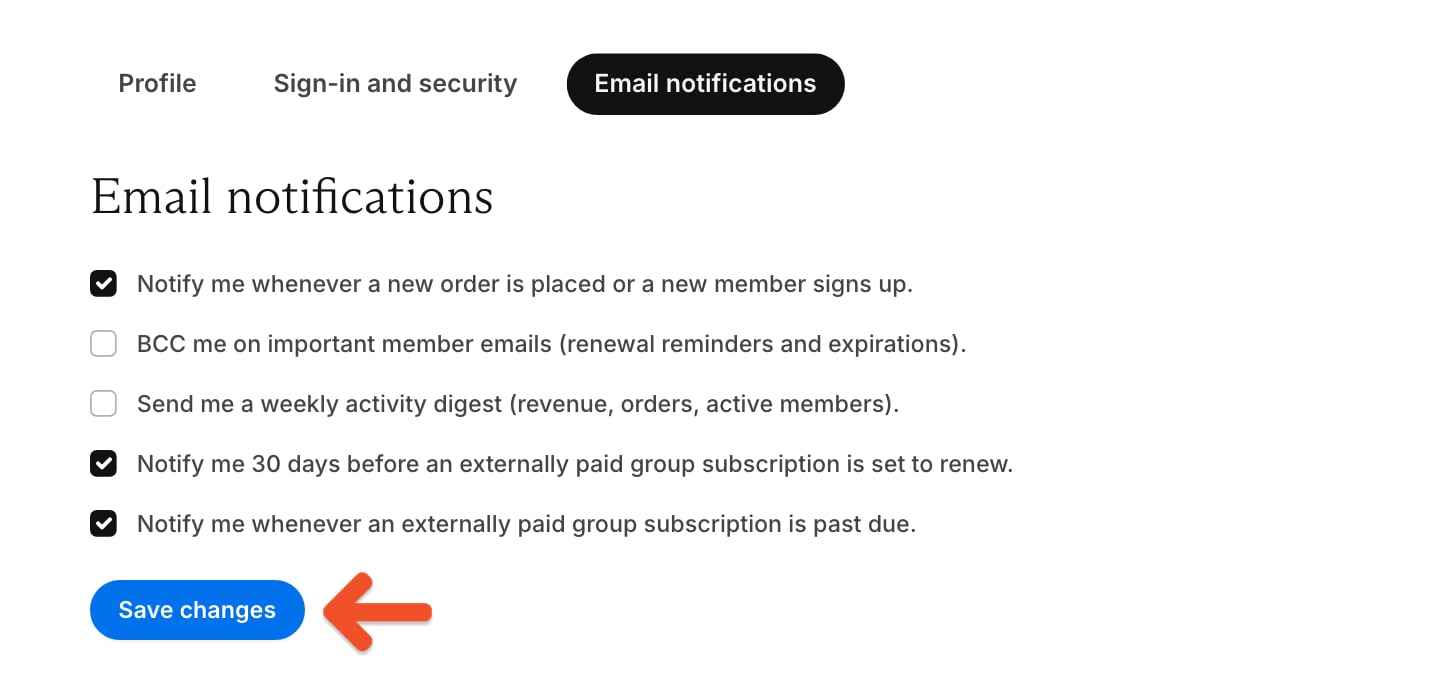
Email notification preferences
You can choose from the following notification preferences:- Notify me whenever a new order is placed or a new member signs up: Receive an email whenever a new order is placed or a new member signs up.
- BCC me on important member emails (renewal reminders and expirations): Receive a blind carbon copy of important member emails, such as renewal reminders and expiration notices.
- Send me a weekly activity digest (revenue, orders, active members): Receive a weekly summary of your site’s revenue, orders, and active members.
- Notify me 30 days before an externally paid group subscription is set to renew: Receive an email 30 days before an externally paid group subscription renews.
- Notify me whenever an externally paid group subscription is past due: Receive an email whenever an externally paid group subscription becomes past due.
To allow non-account-owner staff members to receive the weekly activity digest, enable the Revenue permission for their staff account.