

Toggle auto-renew or cancel a subscription
To modify a member’s subscription status:1
Open the member's profile
Go to the member’s profile.
2
Open the subscription
Click the subscription link.
3
Update auto-renew
Toggle on auto-renew or cancel the member’s subscription auto-renew.

Edit a member’s custom amount
If you let members choose what to pay, you might need to update their contribution amount. To do this:1
Open the subscription
Go to the member’s profile and click the subscription link.
2
Open the custom price
Click Change under Custom price.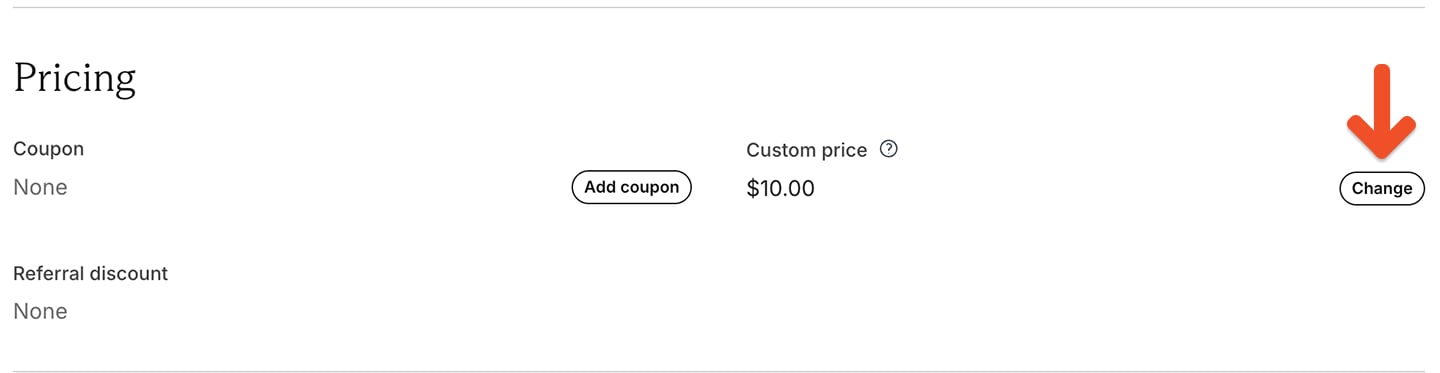
3
Enter the new amount
Enter a new amount that’s equal to or greater than the plan’s minimum price.
Delete a member’s subscription
Go to the member’s profile and click the subscription link. Then, click Delete subscription in the bottom-left corner of the window.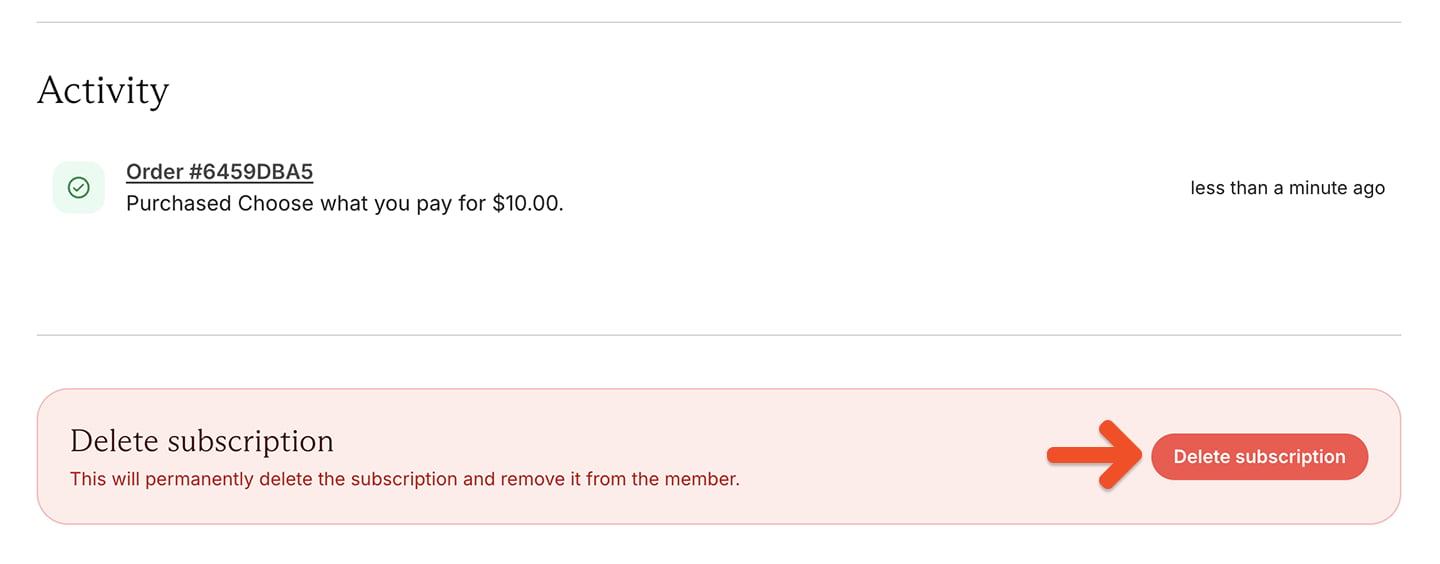
- Deleting a subscription immediately removes the member’s access to it and their associated benefits. They won’t be able to access it from their account.
- Canceling a subscription lets the member keep their access until the subscription expires. They’ll also have the option to renew it later from their account.
Change a member’s renewal date
To change a member’s renewal date:1
Open the subscription
Go to the member’s profile and click the subscription link.
2
Open the renewal date
Click Change date.
3
Change the renewal date
Enter a date in the future, then click Change.
Change a member’s plan
If the member’s plan allows plan changes, you can switch their subscription to another available plan.1
Open the subscription
Go to the member’s profile and click the subscription link.
2
Open the plan change
Click Change.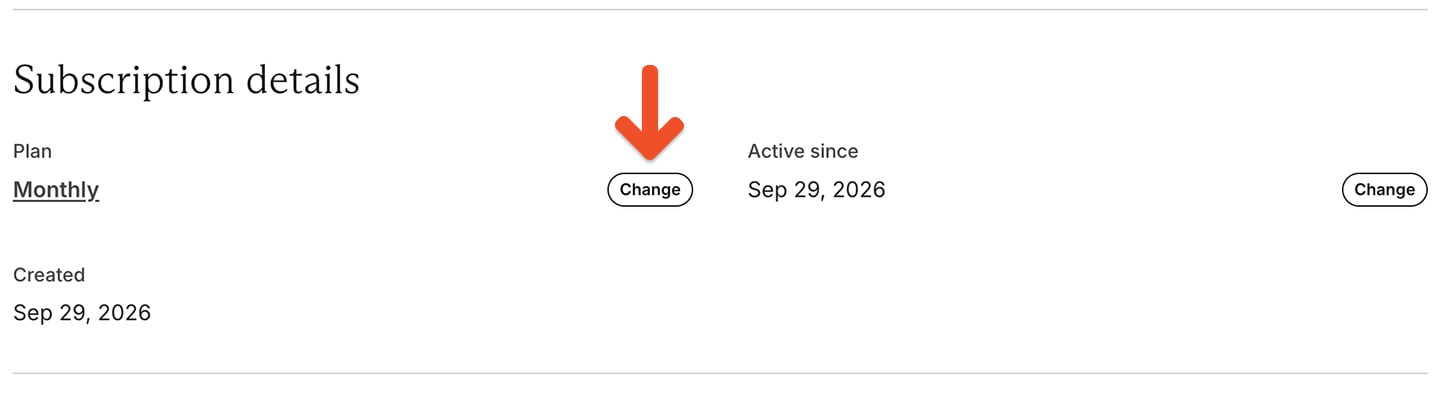
3
Select a different plan
Select a different plan from the list. Your member will be charged accordingly.
Add a coupon to a member’s subscription
To add a coupon to a member’s subscription:1
Open coupons
Go to Revenue → Coupons.
2
Choose a coupon
Create a coupon or copy an existing coupon code.
3
Open the subscription
Go to the member’s profile and click the subscription link.
4
Apply the coupon
From the subscription page, click Add coupon, and then Apply.
1
Open the plan change
Click Change next to the plan name.
2
Choose the new plan
Choose the new plan.
3
Apply the coupon code
Apply the coupon code.
Remove a retention discount from one member
Once a member accepts a retention discount, you can’t remove it from their existing subscription through the Memberful dashboard. To return the member to the plan’s regular price:1
Delete the existing subscription
Delete the member’s current subscription.
2
Add a new subscription
Add a new subscription for the same plan without charging the card on file.
3
Match the renewal date
Adjust the new subscription’s renewal date to match the original subscription so the member doesn’t lose paid access or get charged early.
This workaround only affects the individual member. Editing or deleting the retention offer affects the offer globally and does not remove it from a single subscription.