
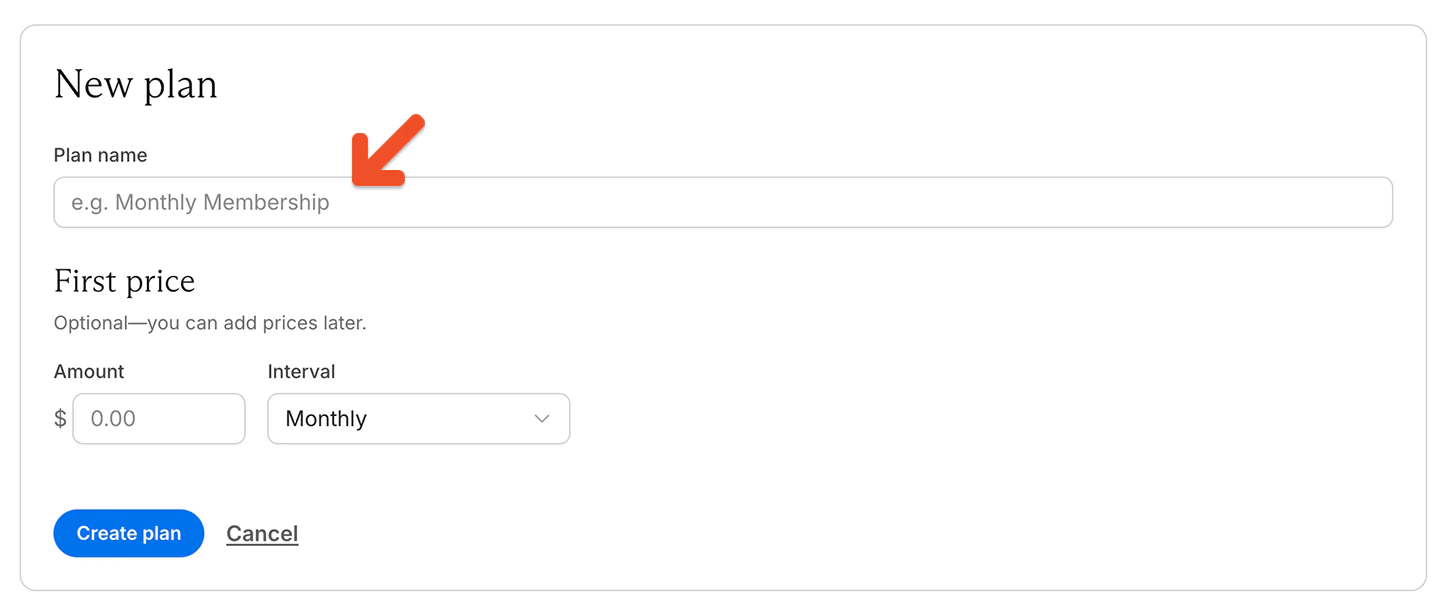
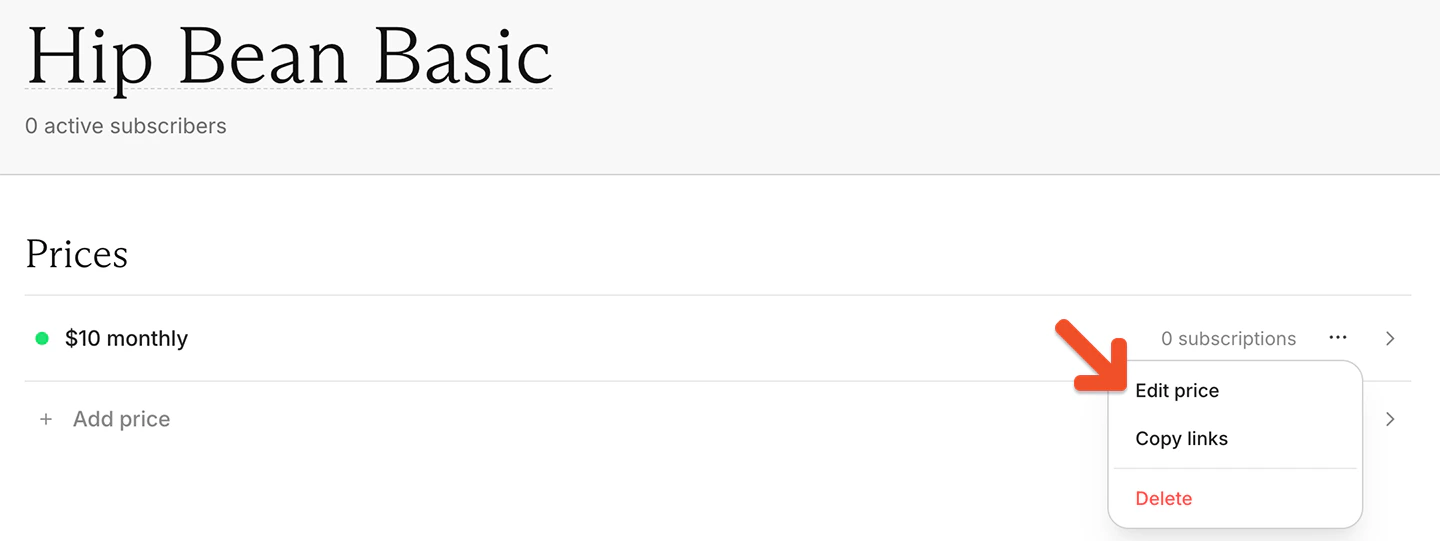
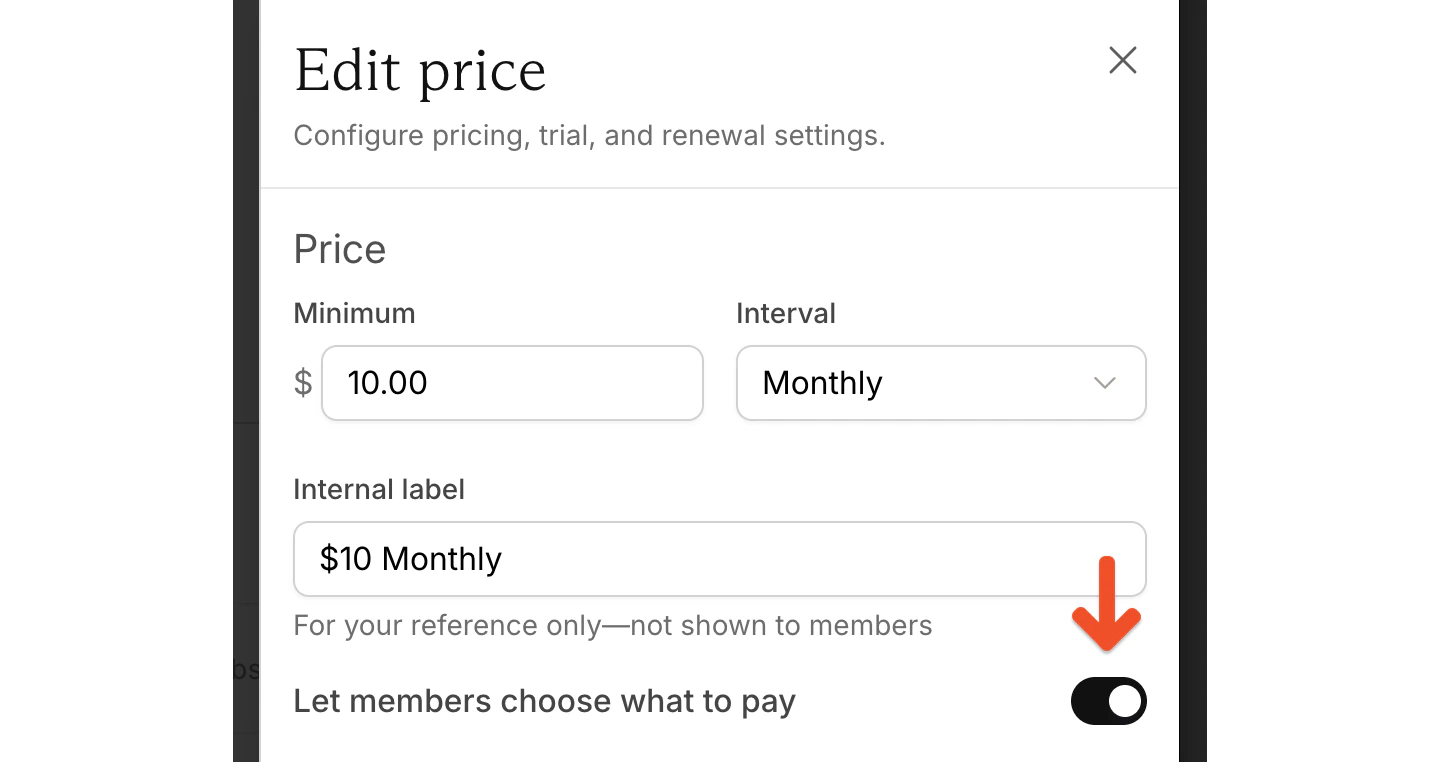
Related help docs:
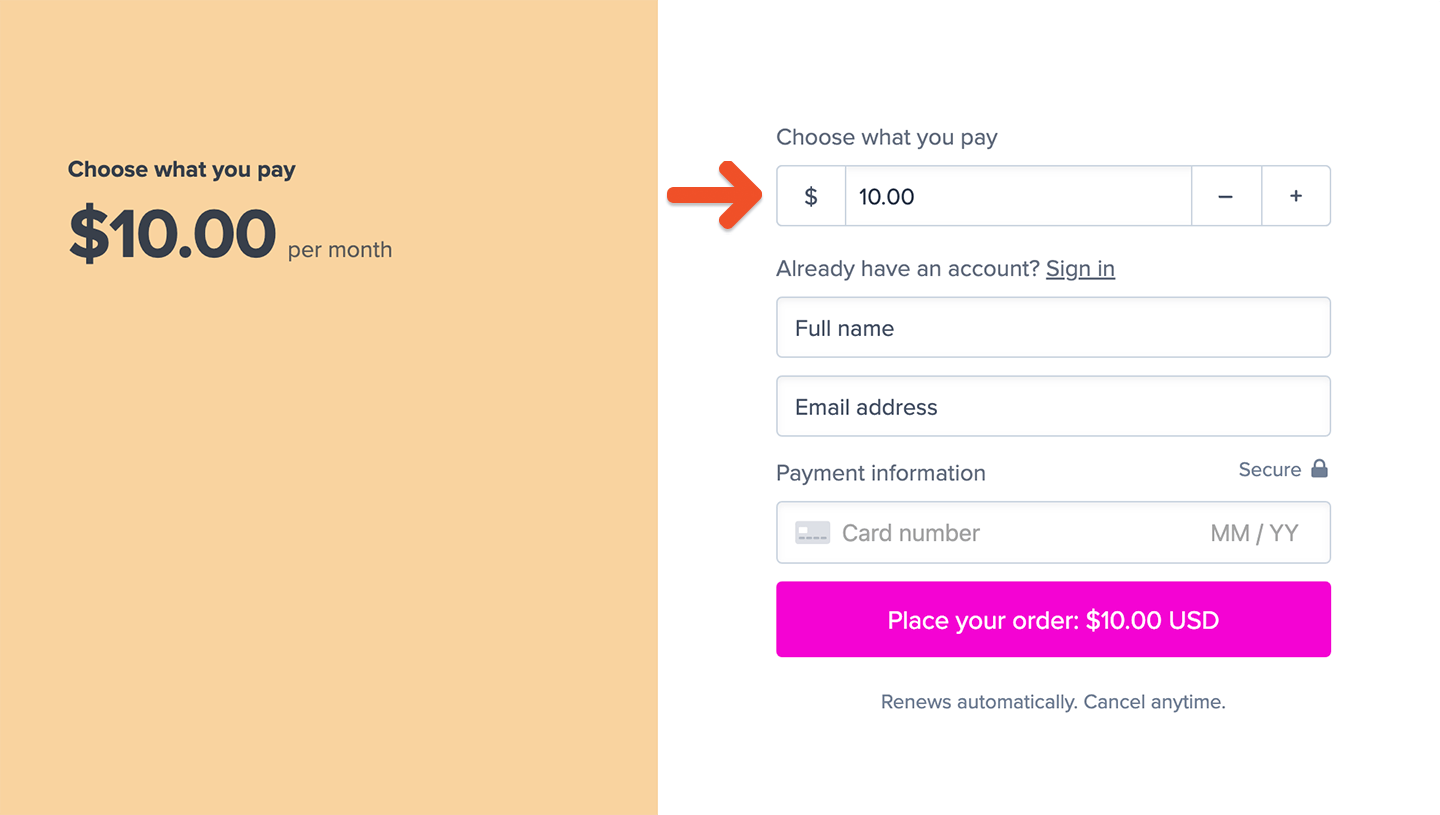 ### Suggest an amount in a purchase link
You can suggest a price by passing the amount through a `price` query parameter in the purchase link URL.
To suggest a payment of \$50, use:
```text theme={null}
https://ACCOUNT-URL.memberful.com/checkout?plan=2&price=50
```
You can also include decimal values:
```text theme={null}
https://ACCOUNT-URL.memberful.com/checkout?plan=2&price=25.50
```
Replace:
* `ACCOUNT-URL` with your account URL subdomain, which you can find under **Website** → **Settings**
* `2` with your plan ID, which you can find in the plan's [purchase link](/docs/plans/promote-and-sell/add-a-link-to-buy-a-plan/#create-a-purchase-button-with-any-website-builder)
* the `price` value with the amount you want to suggest
When you build a membership sales page on your website, you can create separate buttons for each suggested amount you want to offer.
### Create a custom payment form
You can also create a text field where members enter their own amount before opening the checkout. Example HTML is available from the plan settings in your Memberful dashboard.
### Suggest an amount in a purchase link
You can suggest a price by passing the amount through a `price` query parameter in the purchase link URL.
To suggest a payment of \$50, use:
```text theme={null}
https://ACCOUNT-URL.memberful.com/checkout?plan=2&price=50
```
You can also include decimal values:
```text theme={null}
https://ACCOUNT-URL.memberful.com/checkout?plan=2&price=25.50
```
Replace:
* `ACCOUNT-URL` with your account URL subdomain, which you can find under **Website** → **Settings**
* `2` with your plan ID, which you can find in the plan's [purchase link](/docs/plans/promote-and-sell/add-a-link-to-buy-a-plan/#create-a-purchase-button-with-any-website-builder)
* the `price` value with the amount you want to suggest
When you build a membership sales page on your website, you can create separate buttons for each suggested amount you want to offer.
### Create a custom payment form
You can also create a text field where members enter their own amount before opening the checkout. Example HTML is available from the plan settings in your Memberful dashboard.
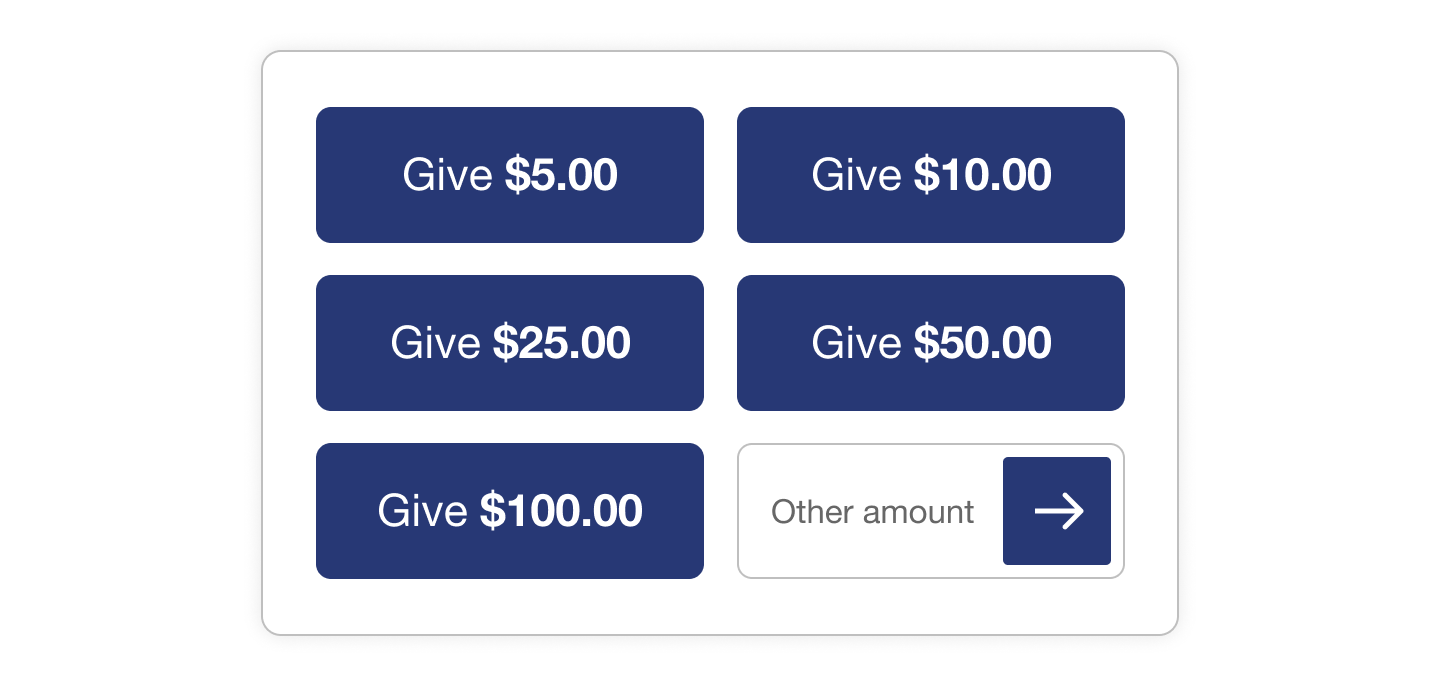 The following example creates a custom amount field that opens the Memberful checkout:
```html theme={null}
```
Replace:
* `ACCOUNT-URL` with your account URL subdomain
* `2` with your plan ID
* `60.00` with the plan's minimum price
You can customize the form using your own HTML and CSS.
## Edit a member's custom amount
You can edit the amount an existing member pays from their subscription in the Memberful dashboard.
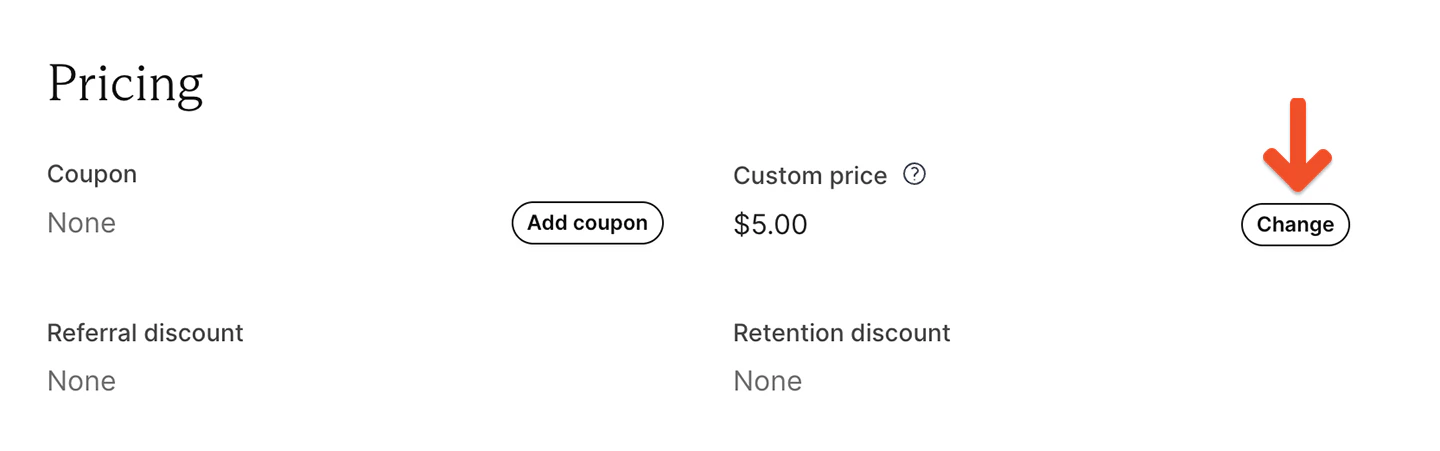
Search for the member by name or email and open their subscription. Under *Custom price*, click **Change** and enter an amount equal to or greater than the plan's minimum price.
The member will be charged the new amount at their next renewal and all future renewals.
The following example creates a custom amount field that opens the Memberful checkout:
```html theme={null}
```
Replace:
* `ACCOUNT-URL` with your account URL subdomain
* `2` with your plan ID
* `60.00` with the plan's minimum price
You can customize the form using your own HTML and CSS.
## Edit a member's custom amount
You can edit the amount an existing member pays from their subscription in the Memberful dashboard.
Search for the member by name or email and open their subscription. Under *Custom price*, click **Change** and enter an amount equal to or greater than the plan's minimum price.
The member will be charged the new amount at their next renewal and all future renewals.
 ## Move members with custom prices
When members are moved from one price to another, Memberful checks whether the destination price also allows members to choose what they pay.
* If the destination price allows members to choose what they pay, members keep their custom price as long as it meets or exceeds the destination price's minimum.
* If the destination price does not allow members to choose what they pay, the custom price is replaced with the destination price on the next renewal.
To learn more about moving members between prices, see [Move all members](/docs/member-management/subscription-management/move-all-members-of-a-plan).
## Move members with custom prices
When members are moved from one price to another, Memberful checks whether the destination price also allows members to choose what they pay.
* If the destination price allows members to choose what they pay, members keep their custom price as long as it meets or exceeds the destination price's minimum.
* If the destination price does not allow members to choose what they pay, the custom price is replaced with the destination price on the next renewal.
To learn more about moving members between prices, see [Move all members](/docs/member-management/subscription-management/move-all-members-of-a-plan).