Related help docs:
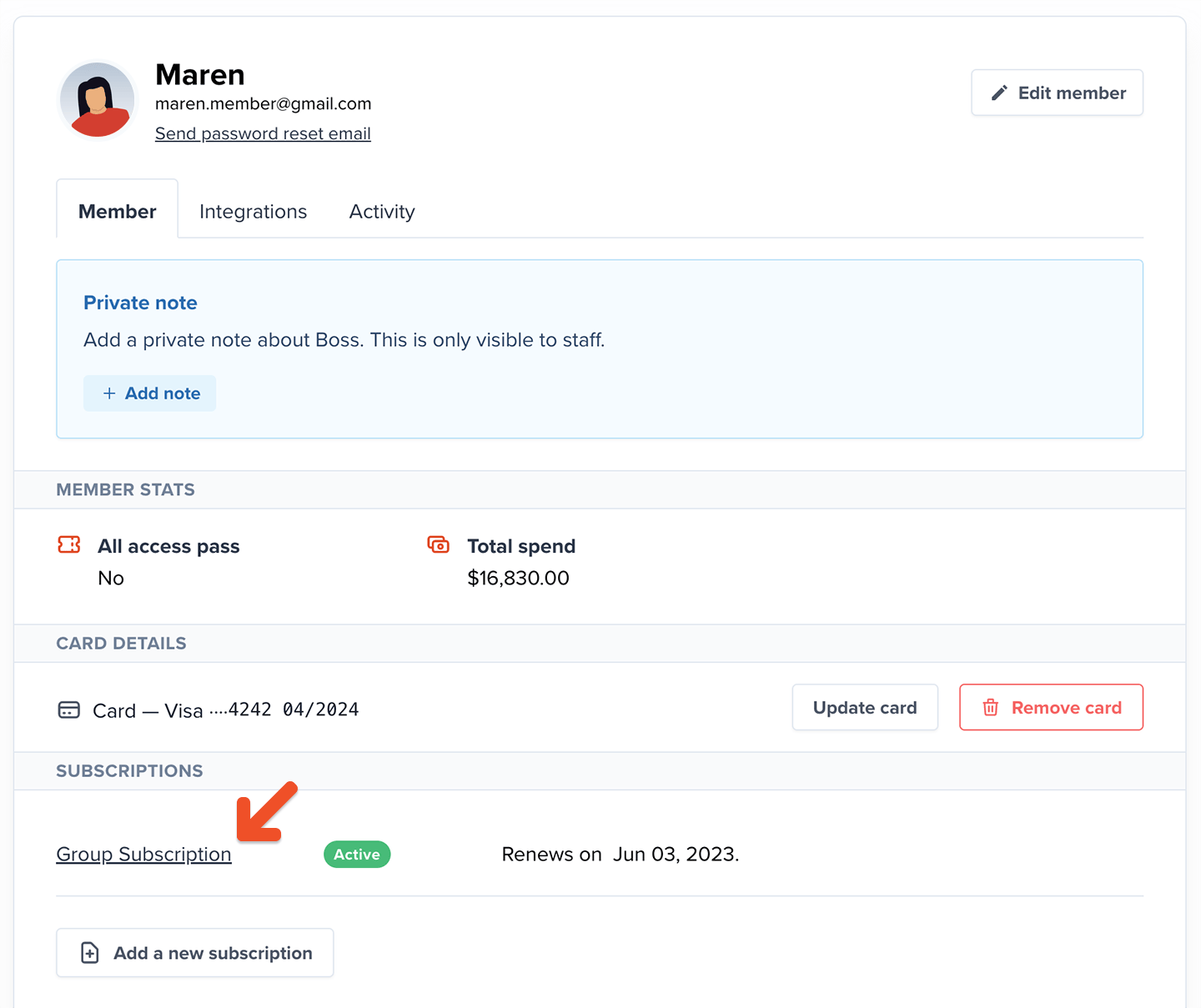 Search for the member in the *Add a member to this group* field. Then select the member and click **Add to group.**
If the member doesn't exist, add a new member via the Members tab in the Memberful dashboard. You can also [import multiple members in bulk](/docs/overview/import-members/import-members-via-csv/) via our CSV import file; the only required fields are *First name* and *Email*.
After you add the member, we update the total member seats in use. Whether the group manager counts toward that total depends on the [*Group manager is also a member*](#exclude-the-group-manager-from-the-seat-count) setting.
Search for the member in the *Add a member to this group* field. Then select the member and click **Add to group.**
If the member doesn't exist, add a new member via the Members tab in the Memberful dashboard. You can also [import multiple members in bulk](/docs/overview/import-members/import-members-via-csv/) via our CSV import file; the only required fields are *First name* and *Email*.
After you add the member, we update the total member seats in use. Whether the group manager counts toward that total depends on the [*Group manager is also a member*](#exclude-the-group-manager-from-the-seat-count) setting.
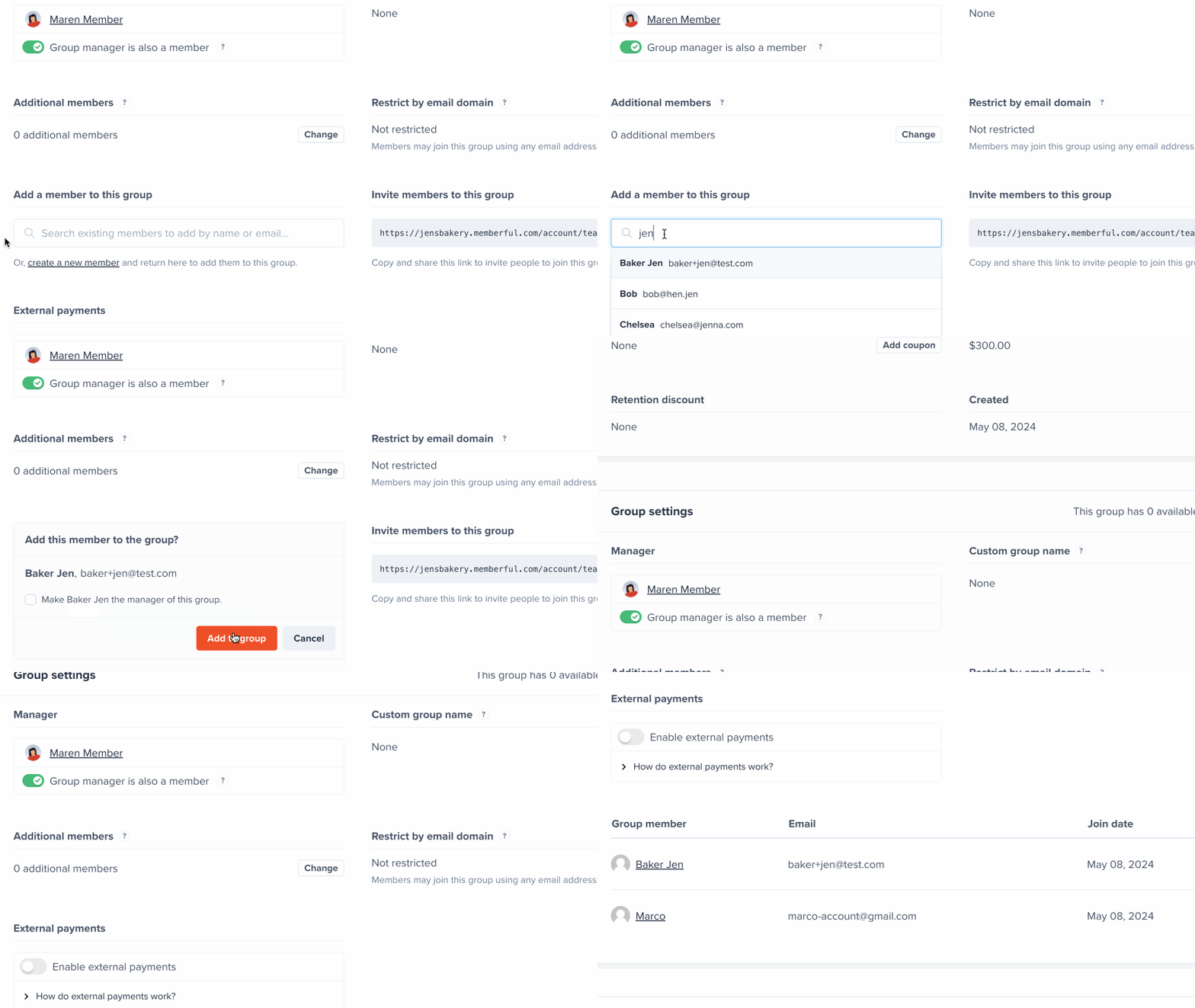 You can also remove a member from the group subscription, and free up a seat, by clicking **Remove.**
 ## Exclude the group manager from the seat count
Group managers take up a seat in a group subscription and receive member benefits by default. However, they have the choice to be excluded from the seat count, and keep their involvement to billing and member management. Now, the group manager will no longer be included in the total seat count and will not receive member benefits (newsletters, Discord access, gated content, etc.). Both you, as a site admin, and the group manager, can access this setting.
[Learn how group managers can access this setting from their accounts.](/docs/member-interface/subscription/manage-group-subscriptions/#exclude-the-group-manager-from-the-seat-count)
To access this setting as an admin, locate the group manager in the Memberful dashboard and click the subscription in their profile.
## Exclude the group manager from the seat count
Group managers take up a seat in a group subscription and receive member benefits by default. However, they have the choice to be excluded from the seat count, and keep their involvement to billing and member management. Now, the group manager will no longer be included in the total seat count and will not receive member benefits (newsletters, Discord access, gated content, etc.). Both you, as a site admin, and the group manager, can access this setting.
[Learn how group managers can access this setting from their accounts.](/docs/member-interface/subscription/manage-group-subscriptions/#exclude-the-group-manager-from-the-seat-count)
To access this setting as an admin, locate the group manager in the Memberful dashboard and click the subscription in their profile.
 **Toggle off** the *Group manager is also a member* setting.
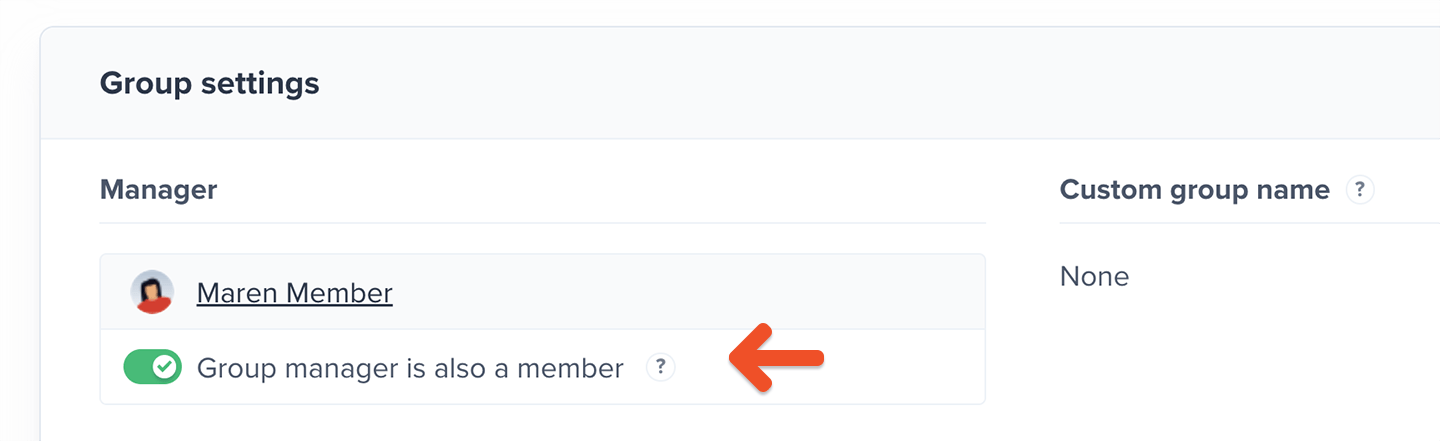 Now the group manager will no longer be included in the total seat count and will not receive member benefits (newsletters, Discord access, gated content, etc.).
## Add seats to a group plan
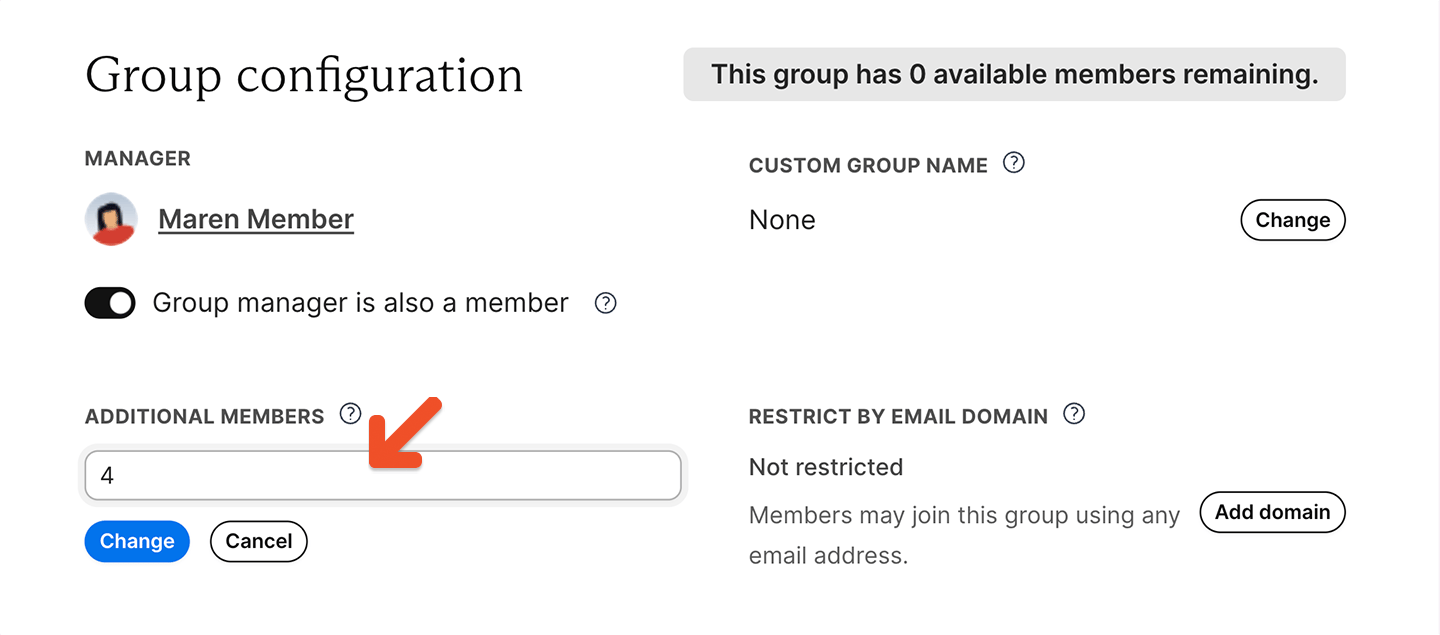
Admins can add additional seats to a group subscription from the Memberful dashboard. This lets the group manager invite more members without changing plans.
Now the group manager will no longer be included in the total seat count and will not receive member benefits (newsletters, Discord access, gated content, etc.).
## Add seats to a group plan
Admins can add additional seats to a group subscription from the Memberful dashboard. This lets the group manager invite more members without changing plans.