> ## Documentation Index
> Fetch the complete documentation index at: https://memberful.com/docs/llms.txt
> Use this file to discover all available pages before exploring further.
# Set up a custom domain
> Use your own domain for Memberful-hosted sign-up, checkout, and account pages so members see a consistent, branded experience across your site.
export const RelatedDocs = ({link1, link2, link3, link4, link5, link6, link7, link8, link9, link10, className = ""}) => {
const links = [link1, link2, link3, link4, link5, link6, link7, link8, link9, link10].filter(Boolean);
if (!links.length) return null;
return ;
};
export const ContactSupport = ({label = "Contact us to get set up →", fallbackEmail = "info@memberful.com", className = ""}) => {
const handleClick = e => {
e.preventDefault();
if (typeof window !== 'undefined' && window.Intercom) {
try {
window.Intercom('showNewMessage');
return;
} catch (error) {
console.warn('Intercom failed to open:', error);
}
}
window.location.href = `mailto:${fallbackEmail}`;
};
return
{label}
;
};
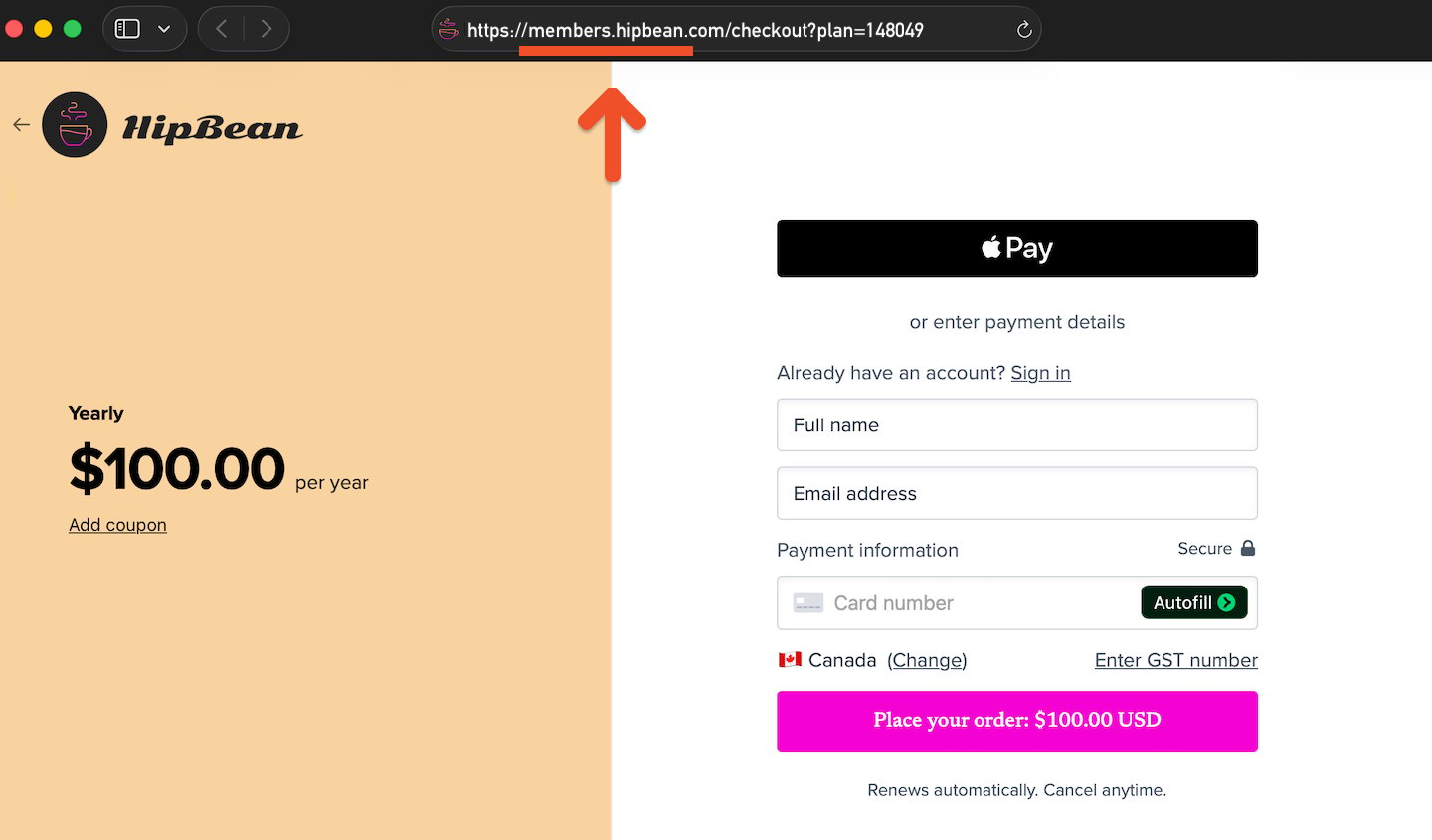
A custom domain replaces your `ACCOUNT-URL.memberful.com` address with an address that uses your own domain. This creates a consistent experience when members purchase a subscription, sign in, manage their account, or browse your member website.
In this help article, we’ll explain how custom domains work and how to contact us to set one up.
A custom domain only applies to pages hosted by Memberful. Pages hosted on your external website already use your own domain.
 ## Choose your custom domain
In most cases, your custom domain will be a subdomain of your main website domain. For example, if your website is `example.com`, you could use:
```text theme={null}
members.example.com
```
Using a subdomain connects your Memberful-hosted pages to your existing brand while keeping them separate from your main website.
If you want to use a top-level domain instead of a subdomain, contact us to discuss your options.
## Create a consistent member experience
You can combine a custom domain with [custom branding](/docs/configuration/branding/branding/) and [customizable email templates](/docs/configuration/emails/email-templates/) so your Memberful pages and communications match the rest of your website.
## Set up your custom domain
Contact us with the custom domain you want to use, and we’ll help you complete the setup.
## Choose your custom domain
In most cases, your custom domain will be a subdomain of your main website domain. For example, if your website is `example.com`, you could use:
```text theme={null}
members.example.com
```
Using a subdomain connects your Memberful-hosted pages to your existing brand while keeping them separate from your main website.
If you want to use a top-level domain instead of a subdomain, contact us to discuss your options.
## Create a consistent member experience
You can combine a custom domain with [custom branding](/docs/configuration/branding/branding/) and [customizable email templates](/docs/configuration/emails/email-templates/) so your Memberful pages and communications match the rest of your website.
## Set up your custom domain
Contact us with the custom domain you want to use, and we’ll help you complete the setup.